
Wildlife Network Studio
A free desktop app for the recordings sitting on your drives. Point it at a folder or an SD card copy: it finds the species on your own computer, helps you check them in minutes, and exports them for GBIF or publishes them here. Nothing is uploaded unless you choose to publish.
Mac with an Intel processor? Download for Intel Mac. Not sure? Apple menu, About This Mac: “Chip: Apple” means Apple Silicon, “Processor: Intel” means Intel. Linux? Download the AppImage.
Free and open source, no account needed. Licences and credits are below. On first use the app downloads the Perch model (about 410 MB). All versions and release notes. If Studio saves you time, you can support it on GitHub Sponsors.
What it does
- Finds species fast: BirdNET and Google's Perch run on your own computer, hundreds of times faster than real time with BirdNET (about an hour of audio in 15 seconds on a laptop; speed test details, technical). Perch is used first in Africa and South Asia, where it knows more species.
- Handles whole field seasons: thousands of recordings and terabytes of audio. Pause any time; it carries on where it stopped.
- Quick review: listen to clips with their spectrogram and answer yes or no. Studio sets a threshold per species from your answers.
- Learns your local species: the Wildlife Network Classifier trains on your answers and examples, and can find more sounds like one you pick.
- Keeps a record: a Files list shows every recording and its status, and History lists every run, export and publish.
- Bats and camera traps: BatDetect2 for UK bats (clips played 10 times slower so calls can be heard), and SpeciesNet with MegaDetector for camera-trap photos, checked against each camera's country.
- Brings in other tools' results: BirdNET-Analyzer, BirdNET-Pi, BirdNET-Go, Raven and Kaleidoscope tables, reviewed and published without processing the audio again. Two people can review the same recordings and compare.
- Exports: Darwin Core Archive for GBIF, CSV, WDX, Raven and Audacity tables, Kaleidoscope id.csv or Camtrap DP, or publish straight to a dataset here.
See how it works
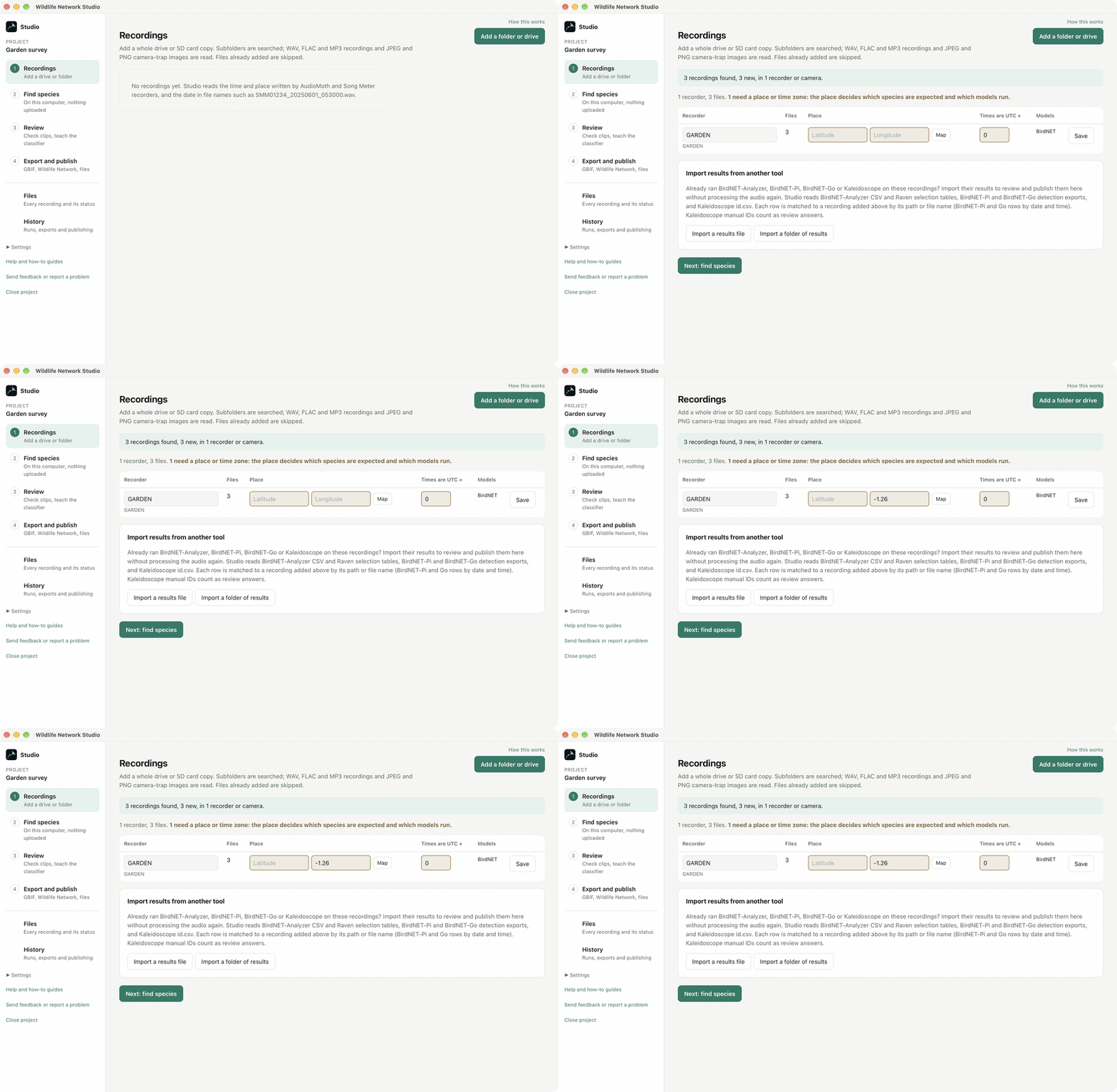
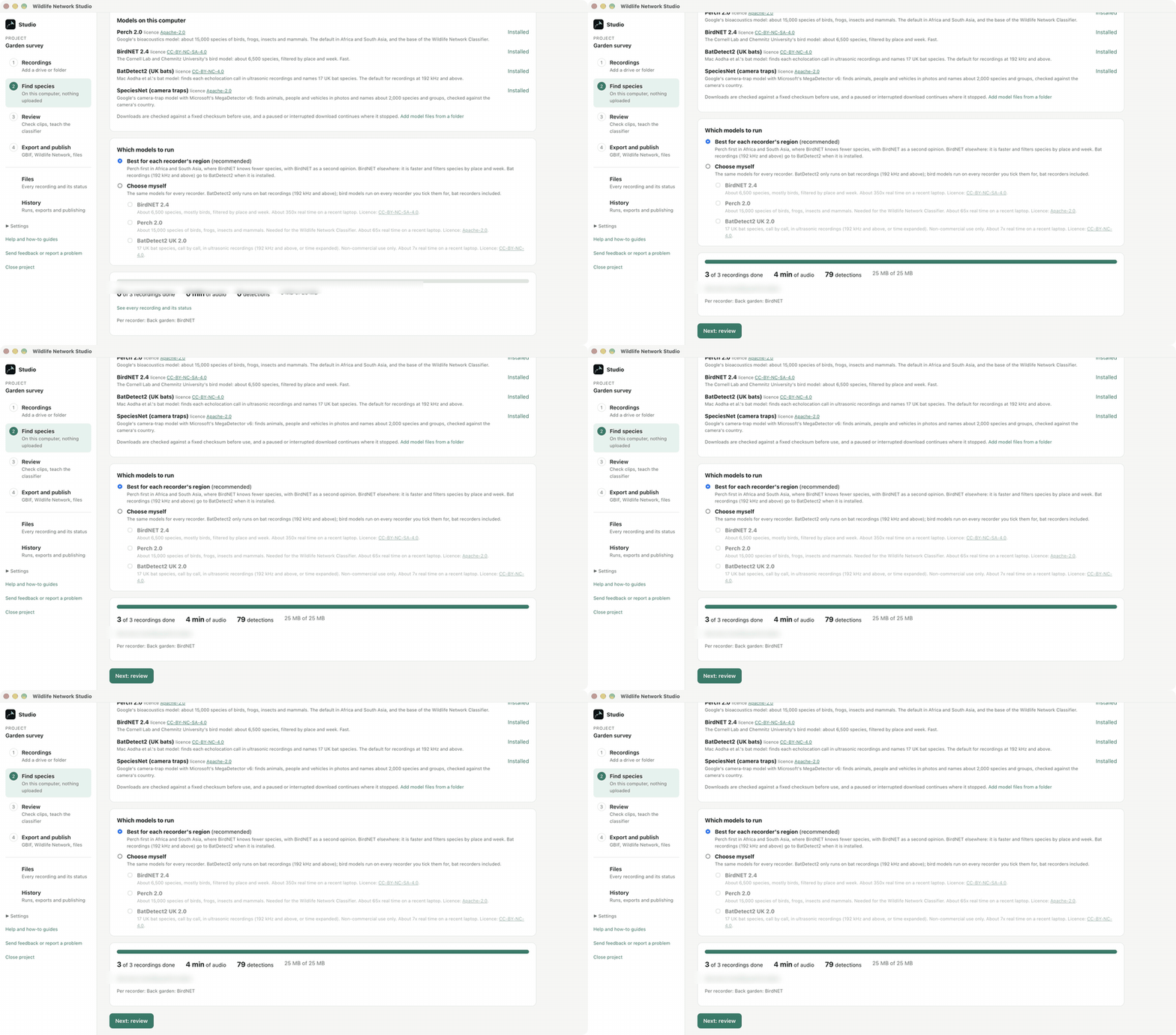
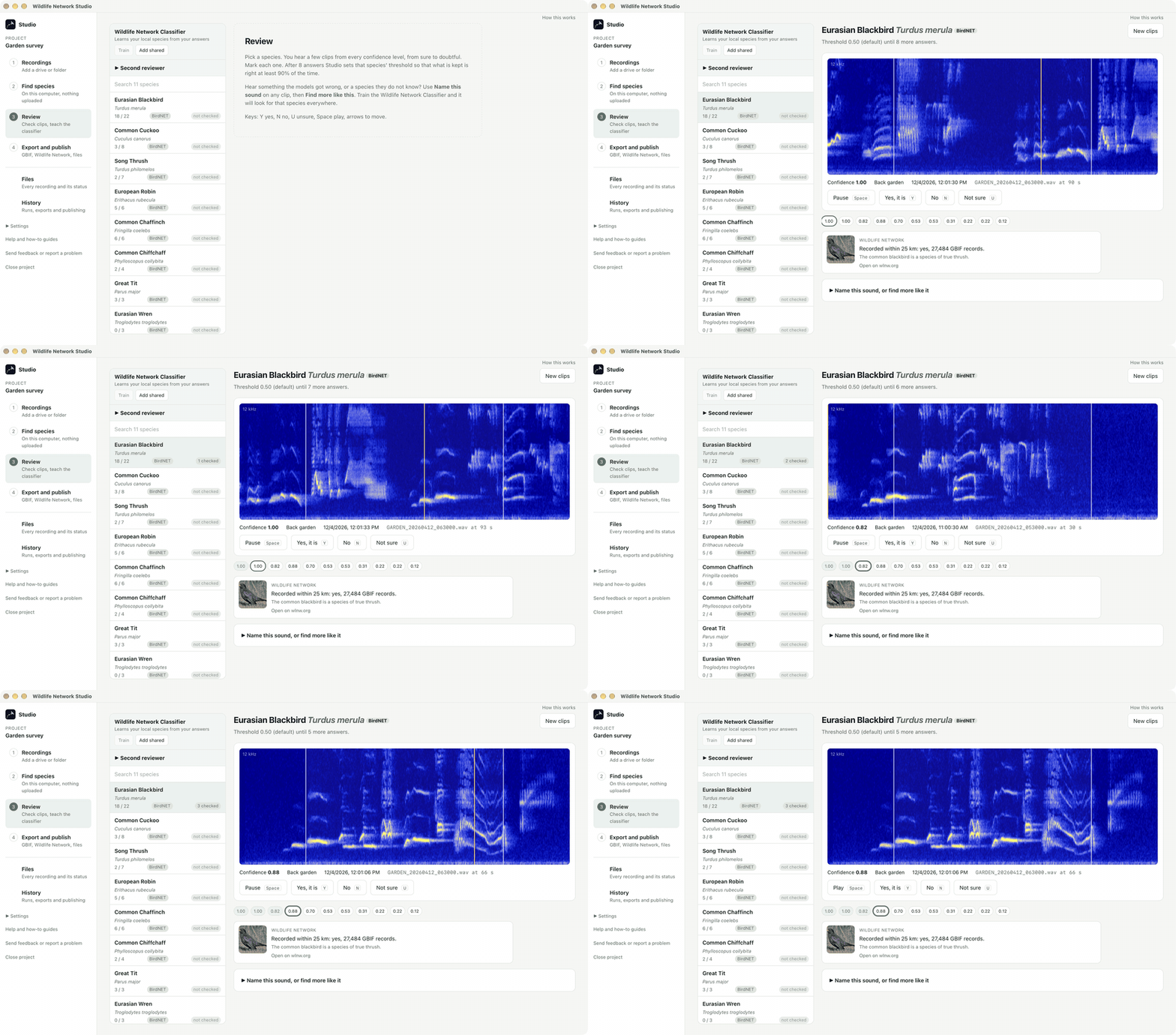
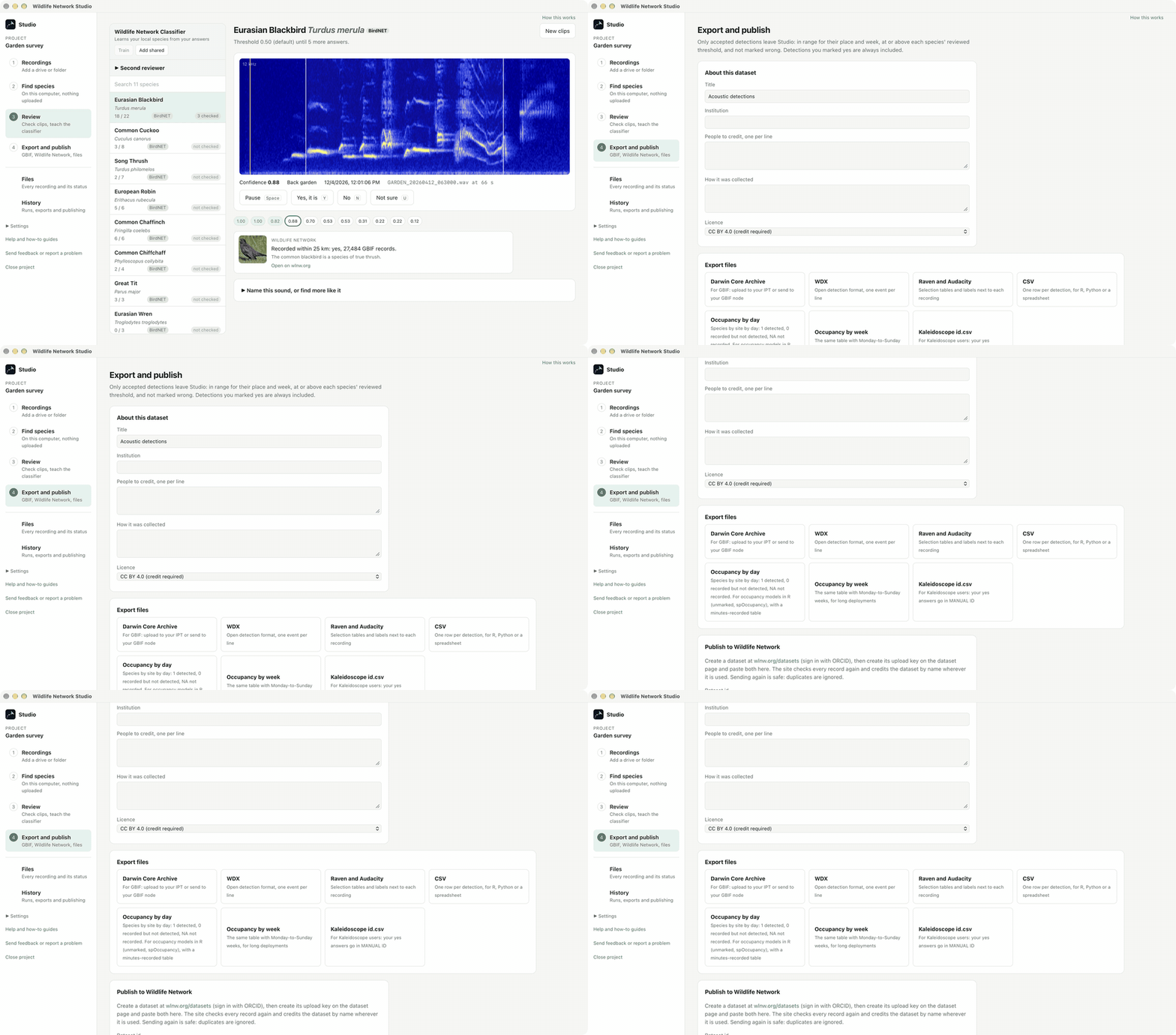
Video guides: your first project, from recordings to results (3 minutes), find more of a sound and teach Studio your local species (2 minutes), find the animals in your camera trap photos (2 minutes), and bring in your BirdNET-Pi or BirdNET-Go results (1 minute).
The recordings in these clips are CC0 bird recordings shared by iNaturalist users.
Installing
- Mac: open the downloaded file and drag Studio to Applications. The app is signed and notarized by Apple. Macs with an Intel processor have their own download, just below the buttons.
- Windows: run the installer. The installer is not code signed yet, so Windows may show a blue SmartScreen message: choose More info, then Run anyway. Prefer an MSI for managed computers? Download the MSI.
- Linux (64-bit, Ubuntu 22.04 or newer and similar): AppImage (make it executable, then run it) or .deb package for Debian and Ubuntu.
- Updates: Studio checks for a new version when it starts and offers to install it. The check sends only the app version and system, counted on wlnw.org without identifying you (privacy).
Credits and licences
Studio's own code is free and open source under the Apache 2.0 licence. The part of Studio that reproduces BatDetect2 is under BatDetect2's own licence, CC BY-NC 4.0, so the bat feature is for non-commercial use only. Each model keeps its own licence. Studio names the model and its paper in every export, so please cite them too.
- BirdNET 2.4 by the K. Lisa Yang Center for Conservation Bioacoustics at the Cornell Lab of Ornithology and Chemnitz University of Technology. CC BY-NC-SA 4.0, used with the BirdNET team's permission for research and conservation. Paper, source.
- Perch 2.0 by Google DeepMind and Google Research. Apache 2.0. Paper.
- BatDetect2 by Oisin Mac Aodha, Santiago Martínez Balvanera and contributors. CC BY-NC 4.0, non-commercial use only. Its authors publish the model themselves, so you make the Studio files from their official package (how). Paper, source.
- SpeciesNet by Google, Apache 2.0, and MegaDetector v6 by Microsoft's AI for Good Lab, MIT code with CC BY 4.0 weights. SpeciesNet paper, MegaDetector paper.
Source code: github.com/wlnw-org/wlnw-studio. Problems or ideas? Send feedback or open an issue.